Studio
fenec studio is the server's own admin page: its collections,
their rows and their schema in a browser, the edits you make there, a
query editor, the rows as they change and the server's own numbers. Start
the server with --studio and open /_studio/, or
try it on the Playground, where it runs
over a database in your own tab.
Turn it on
Add --studio to fenec-server, open
/_studio/ on the same address, and paste a token.
fenec-server --file data.fenec --http 127.0.0.1:8080 \
         --http-token "$TOKEN" --studio

open http://127.0.0.1:8080/_studio/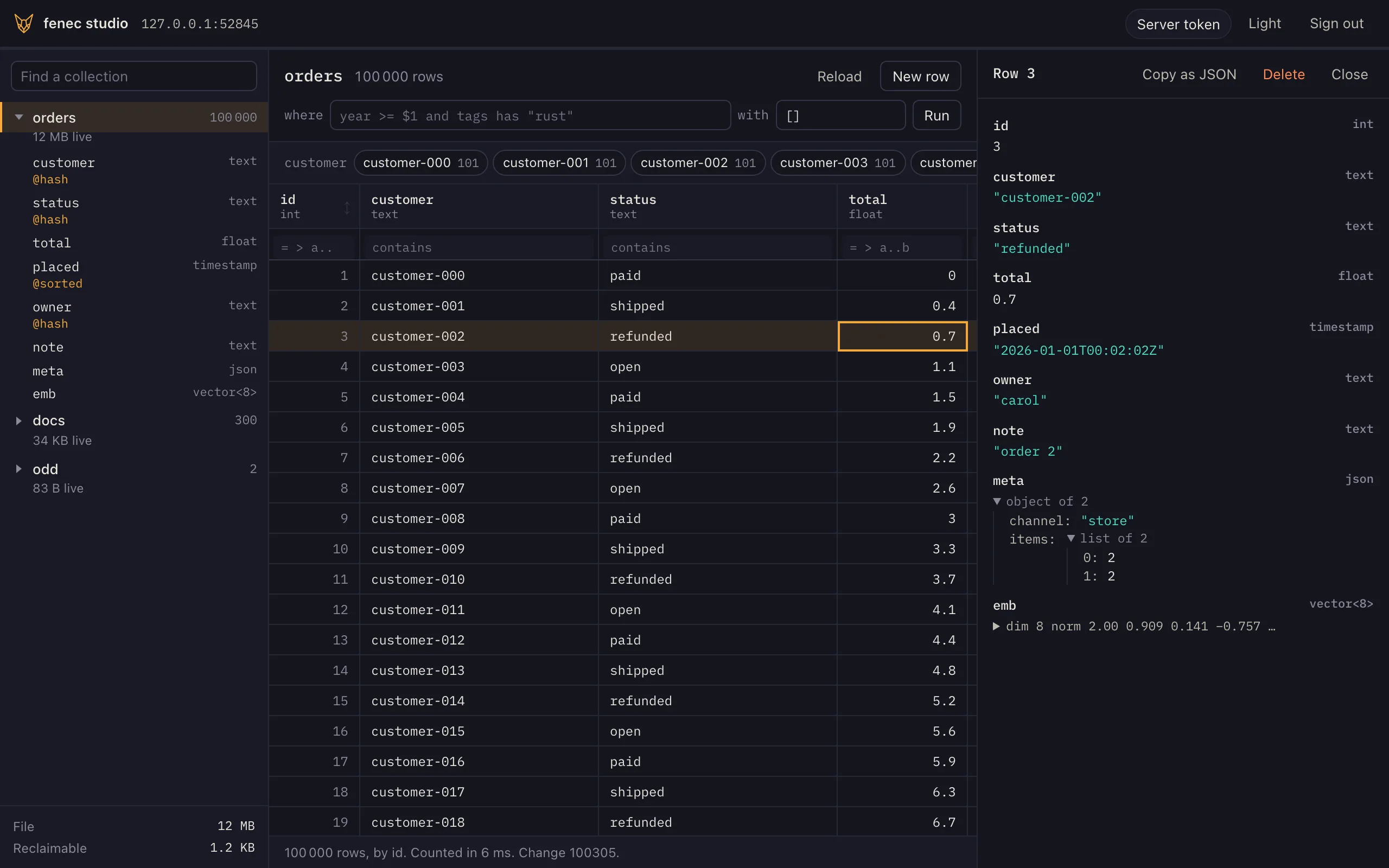
@hash fields, one row unfolded.- Off by default. Without
--studio,/_studio/answers 404, as an unknown path does. - No new authority. The page reads and writes with the token you paste, over the same HTTP surface every client uses.
- A tool for operators: keep it on a private network or behind your own sign-in (Security).
Details
The studio is plain ES modules and CSS from the repository's
studio/ folder, with the HTTP client and query builder of
@fenecdb/web/client beside them — no framework and no build
step. The server embeds the files, so the binary is all you deploy. Its
first load is 64 KB of JavaScript and CSS, gzipped, its modules preloaded
together from the page; the query editor, the schema, the live rows and the
admin view are fetched the first time each is opened, 7 to 19 KB more. The server sends the
files as they are, uncompressed; a proxy in front may compress them.
A router serves it too: fenec-shard --studio puts the
same pages on the router's address, where each tenant is reached through
the router (Tenants).
Connect
The server is the page's own address unless you name another, and the
token is the one the server takes: its --http-token, or a JSON
Web Token its policy holds to its rows. The top bar says who the server takes
it for.
- Your token stays in the tab. It is kept in session storage and forgotten when the tab closes: never in local storage, a cookie or a URL.
- Who you are: the token's subject, role and tenant, the rules
that apply to it, and how long until its
exp. The line under the top bar shortens as the token's life runs out, and the page warns you five minutes before it does.
Details
The identity comes from GET /_whoami, which any client may
ask: open on a server that asks for no token,
full for the server's token, and scoped for a JSON
Web Token, with each rule of the policy that applies to it — the
collection, the grants, the fields an update may change, the fields a read
shows (read_fields, null for every one) and the
rows, as the policy writes the filter. A token is shown its own rules and no
other's: a rule for a role it does not hold is not among them. It grants
nothing; a token the server refuses gets the same 401 here as anywhere.
curl -H "Authorization: Bearer $ALICE" http://127.0.0.1:8080/_whoami
# {"node":"single","tenant":null,"read_only":false,"kind":"scoped","sub":"alice",
#  "tenants":null,"unbound":false,"append_only":[],
#  "rules":[{"collection":"orders","grants":["read","insert","update","delete"],
#            "fields":null,"read_fields":null,"rows":"owner = $jwt.sub"}]}
The token's claims — its subject, role and exp — are read
in the page to show them, and decide nothing: the server checks the token on
every request.
Collections and rows
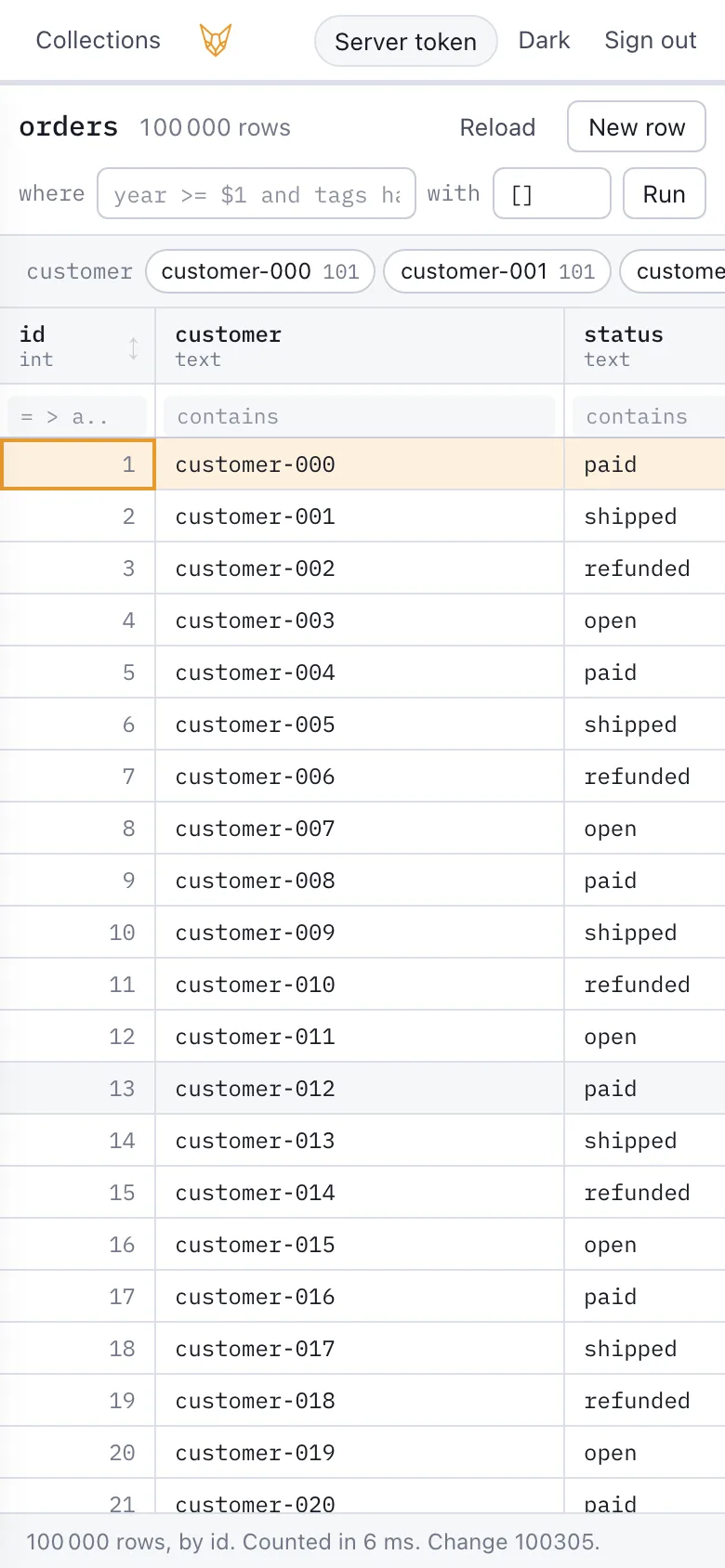
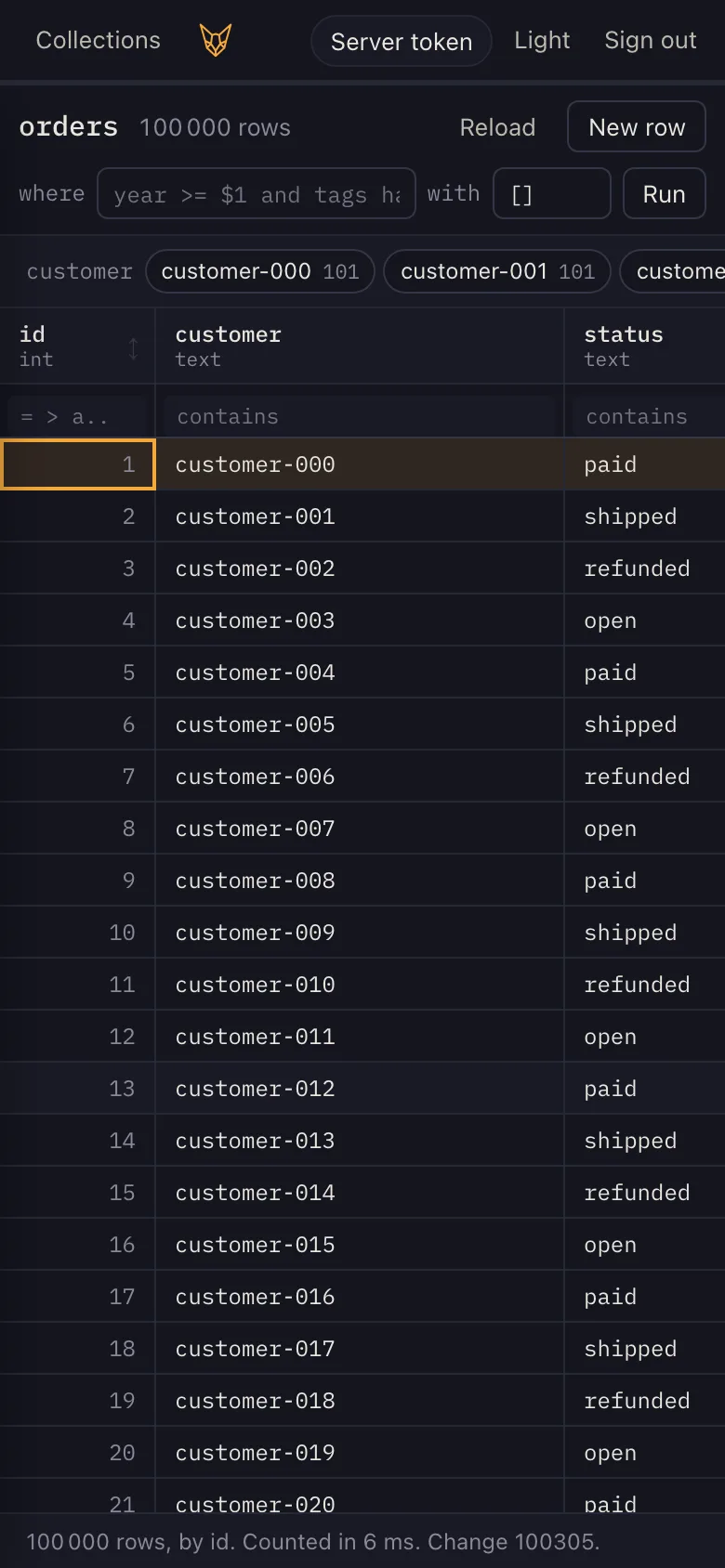
The sidebar lists the collections the token can read, each with its rows and its fields' types and indexes. The grid shows a collection's rows, as many as it holds, read a page at a time as you scroll.
- Sort by
id, or by a field an index orders:@sortedor@ttl. - Filter with a
whereclause in FenecQL and its parameters, or a box under each column:abc,=v,>=v,a..b,null. - Counts by value for each
@hashfield, over what the filter selects; pick one to filter by it. - A row unfolded (Space): a
jsonfield as a tree, a vector as its dimension, its length and its first components. - File size and what a compact would give back, where the token
may read
/_metrics.
Details
A page is 100 rows. In id order the page after one already read is asked
for by its last id — get orders where id > $1 limit 100 —
which walks the id index from there; a page reached by a jump, or under an
order, by its offset. Only the rows in view are drawn, so 100 000 rows cost
what 40 do: a scroll down the whole collection and back in Chrome took no
task over 50 ms (make studio-test). Past 8 million pixels of
rows the scroll bar stands for the rows in proportion, since browsers cap an
element's height.
The count and the counts by value are one /batch of reads,
under one read lock, so they are of one moment. A vector is never written
out whole: 768 numbers in a cell are noise.
Edit
Enter writes a cell, N opens a form for a new row, and Delete removes one after you confirm the statement it will send.
set orders {note: $1} where id = $2 require 1
insert orders {customer: $1, total: $2}
del orders where id = $1 require 1- Every value is a parameter. A text shaped as FenecQL is stored as it reads.
- Every write is a
/batchwith anIdempotency-Key, so a retry cannot write it twice. - A refusal says why: 403 names the field the policy refused, and 412 says the row changed — deleted, or no longer the token's — since it was read.
Details
require 1 makes a write that found no row a refusal (412)
rather than a quiet affected 0, so an edit of a row someone
deleted meanwhile is told so. The form is built from the schema: a box a
field, typed as the field is, the statement written out below it as you
fill it. A name FenecQL cannot write is refused rather than spliced into the
text, and the where clause you type is held inside parentheses
it cannot close, so it stays one condition among the page's.
Query
The Query tab is an editor for FenecQL. It runs exactly what you type, with your token: it can do what the token may, and nothing more.
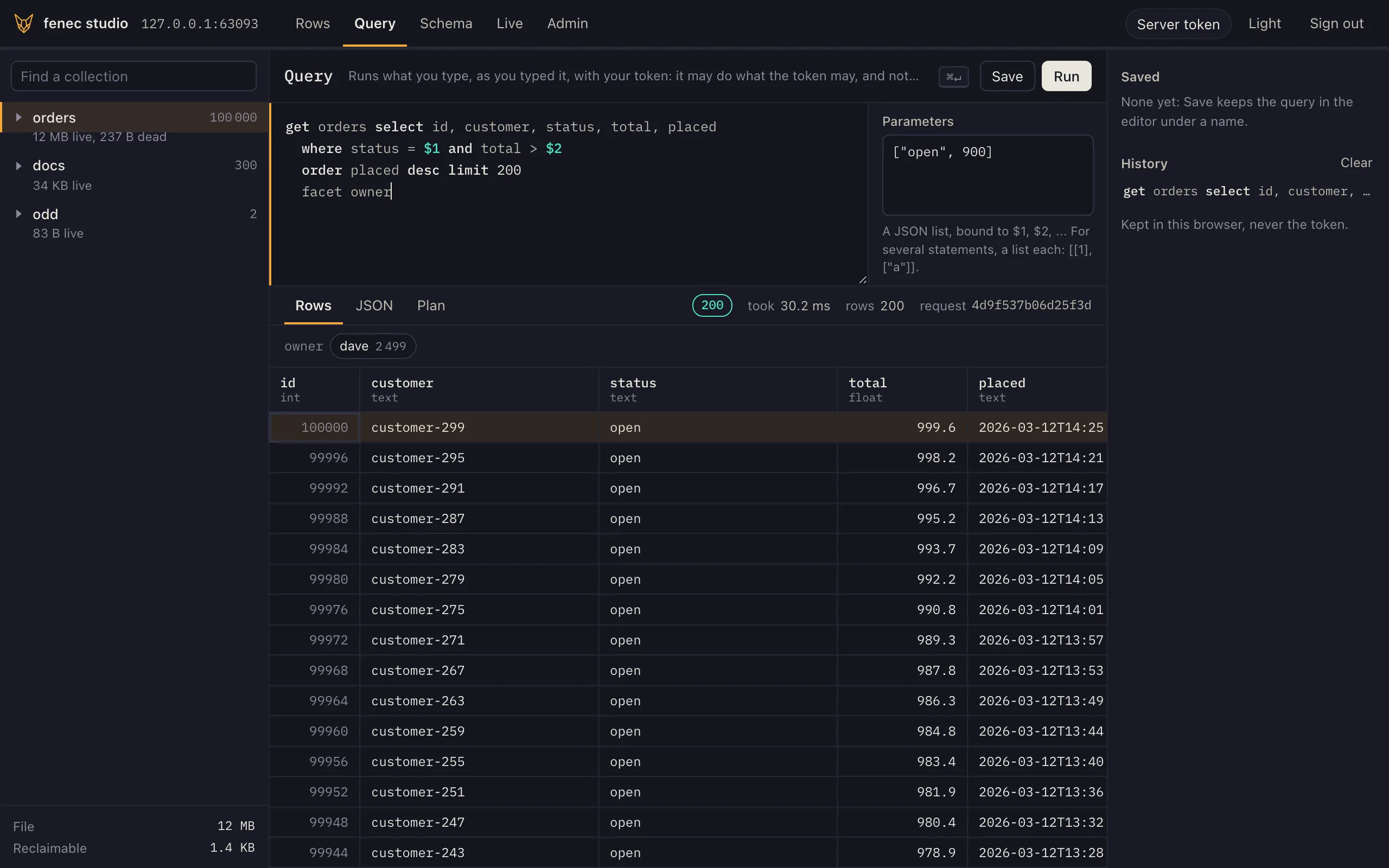
- Run with
Ctrl+Enteror⌘Enter; a selection runs alone. - Parameters are a JSON list, bound to
$1,$2… - Several statements, separated by
;, run as one/batch: they land together or not at all. Give their parameters as a list each,[[1], ["a"]]. - The answer as rows or as JSON, with its status, its time, its
Fenec-Seqfor a write and itsX-Request-Id. - The plan of a
get: the Plan tab asks the server forexplainof the same text with the same parameters. - A refusal shows the server's message and status, and for a batch which statement stopped it, which the editor selects.
- History and saved queries stay in this browser. The token is never kept there.
Details
The colours are the docs' own rules: site/build.py writes
the same patterns and keywords into the editor's highlighter, and
site/test_highlight.py holds the two to the same output. The
text is drawn over the textarea as text nodes, so the caret, selection,
input methods and undo are the browser's. Nothing you type is rewritten:
the editor only cuts the text at each ; outside strings and
comments, and a statement goes to POST /query, several to
POST /batch, as any client sends them.
Schema
The Schema tab shows a collection as the statements that make it, and its fields. With the server's token you can add an index or a field, rename or drop a field, and drop the collection.
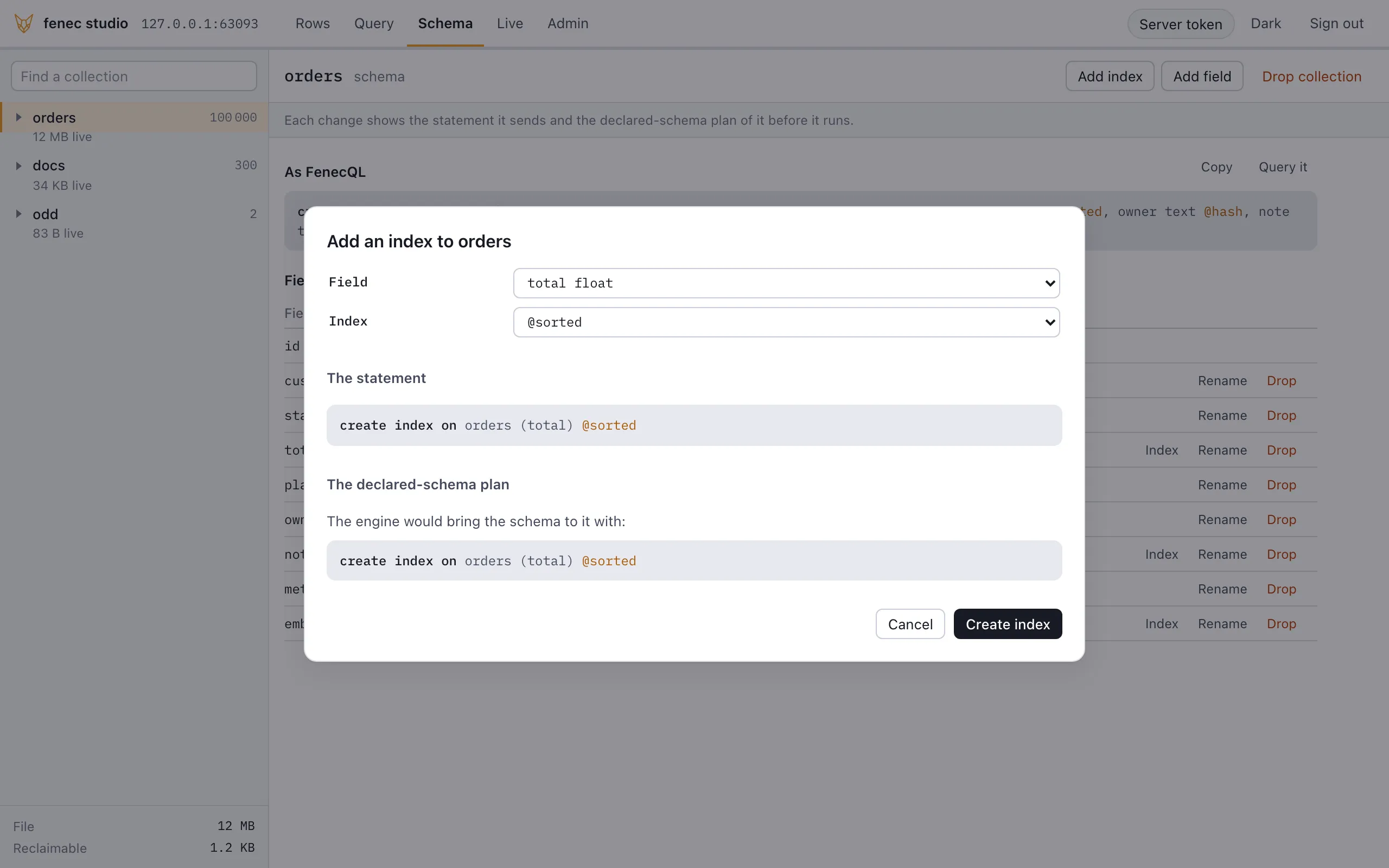
- Every change is shown before it runs: the exact statement,
and what
POST /_schema/plansays of the schema as it would be after it. - A drop waits for its name. Dropping a field or a collection runs only once you type its name.
- A scoped token reads the schema of the collections it reads, and changes nothing.
create index on orders (total) @sorted
alter collection orders add field due timestamp @ttl(30d)
alter collection orders rename field note to memo
alter collection orders drop field memo
drop collection scratch
Details
The statements come from the server: GET /_schema?as=fenecql
answers the description with its collections as FenecQL, written by the
engine. The plan is asked of the collection as it would be after the
change, and of no other, so it speaks of this change alone. It writes the
statements an index or a field added would need, and refuses to guess a
field that is gone: a drop or a rename? The statement says which. A change
runs as a /batch under an Idempotency-Key, as the
studio's other writes do. A name FenecQL cannot write is refused, and an
index's options and a ttl's duration are checked before they reach the
text.
Live
The Live tab follows a collection's rows as they change: new and rewritten rows are marked as they arrive, deleted ones struck through before they go.
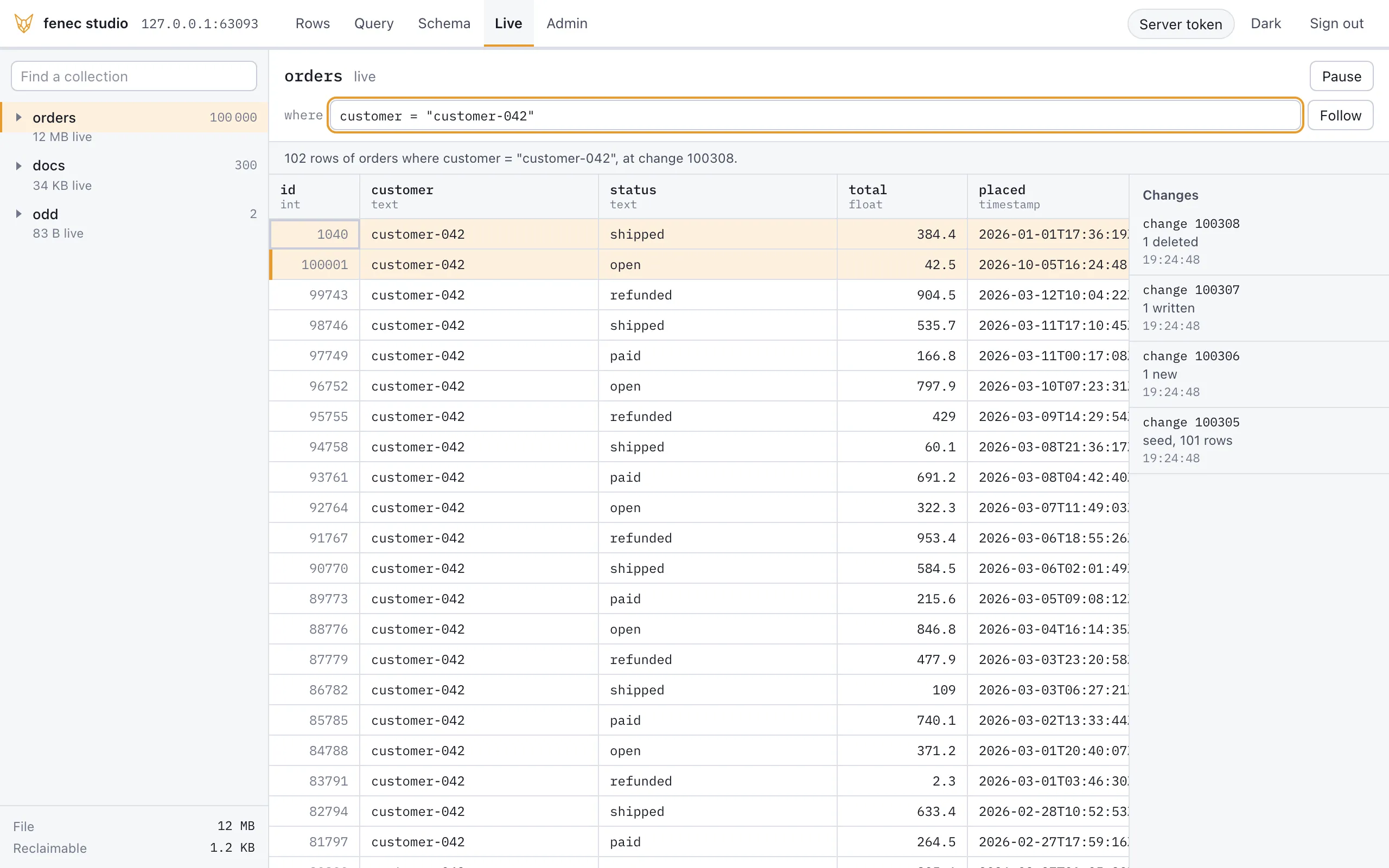
- A
whereclause picks the rows to follow. - Pause holds the changes back and counts them; resume applies them in order.
- A scoped token sees its own rows: the server holds the stream to them, deletions included.
Details
The view is a subscription, GET /<name>/changes with
your filter as its shape: first every row it selects, then each write. So
a shape of more than 10 000 rows is refused before it opens: narrow it
with the where clause. Under a scoped token the server ANDs the
token's filter into the shape and keeps the ids it sent, so a row the token
may not read never reaches the page, nor does the deletion of one.
Admin
The Admin tab is shown to the server's own token. It reads the statements by shape, the server's counts and, on a router, its tenants.
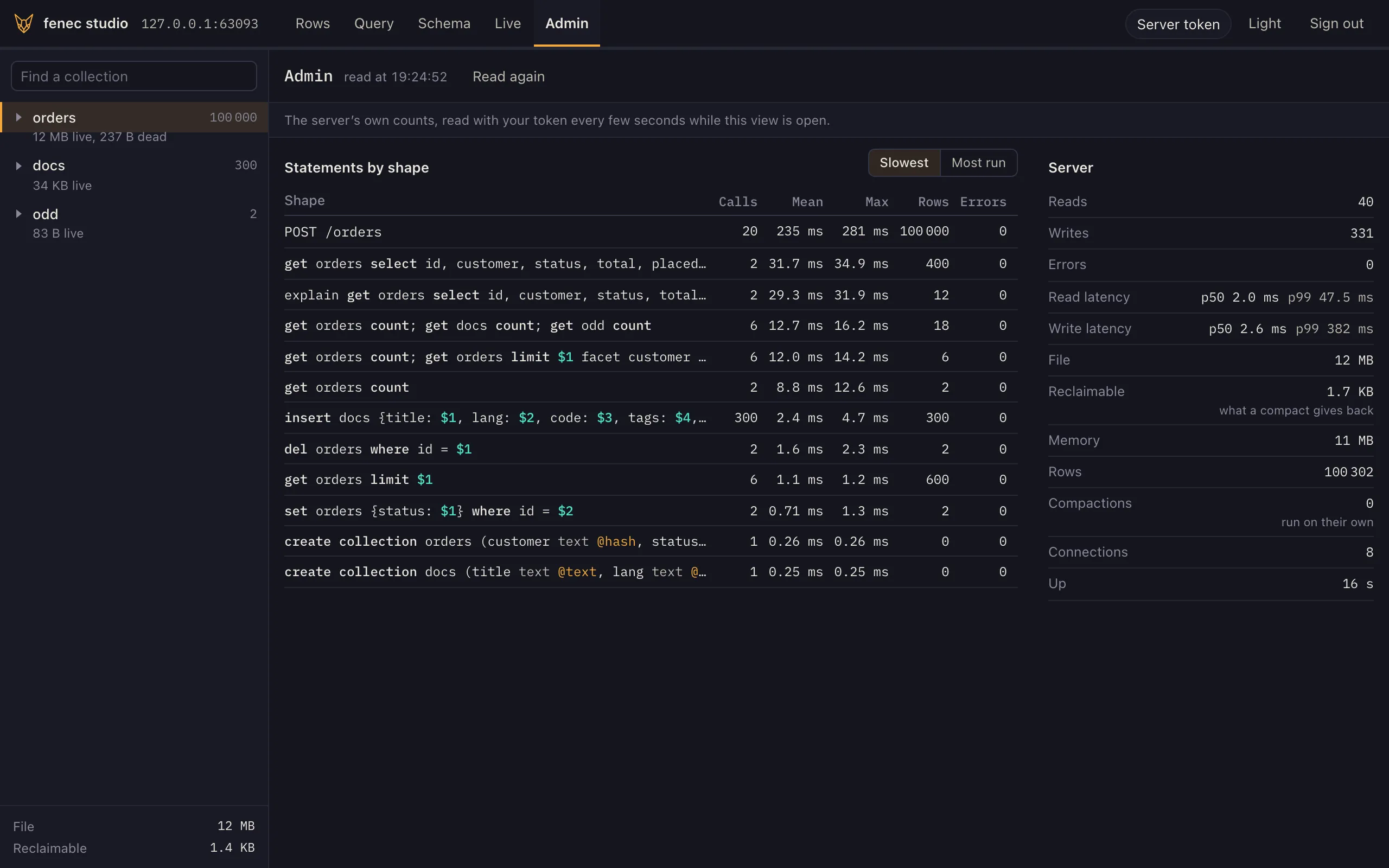
- Statements: the slowest and the most run shapes, from
/_stats/statements. Pick one to open it in the editor. - Server: reads, writes, errors and their latency, the file and
what a compact would give back, memory and compactions, from
/_metrics, read again every 5 seconds. - On a router: each tenant with its node, state and size on
disk, from
GET /_shard/tenants?bytes.
Details
The tab appears when /_whoami says the token is the
server's, or the server asks for none; the server decides again on every
request. Through a router the tenants' list takes the router's
--token: start the router with the nodes' data token and one
token reads both.
In your browser
The site's Playground is this studio — the same files the server embeds — over a database in your browser tab rather than a server's: fenecdb compiled to WebAssembly, on a worker of the tab, seeded with products, orders and a week of events. Nothing is sent anywhere. Rows, the query editor, the schema and the live rows work there as they do here; the query editor lists examples to run.
| On a server | In your browser |
|---|---|
| A token pasted in, its subject and expiry in the top bar | Running in your browser. in its place, and nothing to sign in to |
| The tenant picker on a node or a router | none: one database |
| The admin view, the file's sizes in the sidebar | none: those are a server's numbers |
Writes through /batch with an Idempotency-Key | the same statements, one block each batch |
| Live rows through a subscription | a live query over the module's change ring |
| Kept in the server's file | kept nowhere unless asked: Keep it in this browser stores it in IndexedDB, and Reset data puts every collection back |
Details
Every view reads through one surface: run,
batch and subscribe as FenecHttp
has them, and request for an answer shown whole — the editor's
status and change, the schema and its plan. Over a server that surface is
HTTP (studio/connect.js); in the page it is the browser module
in a dedicated worker (studio/local.js,
worker.js), which answers each request as a server would:
the same rows, the status a server refuses a statement with, the change a
write leaves the database at, the schema as the engine describes it
(Fenec.describe) and a batch as one block
(Fenec.batch). studio/test/transport.test.mjs
sends the same statements to a real fenec-server and to the
module and holds every answer equal. A server's first load holds none of
it: the page's own modules load only where a page asks for them.
Keys
/ | the where clause |
Alt+1, Alt+2 | the collections, the view |
arrows, Page Up, Page Down | move between cells |
Enter, F2 | edit the cell |
Space | the whole row |
C | copy the row as JSON |
S | sort by the column, where its index orders it |
N, Delete | a new row; delete the row, once confirmed |
R, ? | read the rows again; every key |
1 to 5 | rows, query, schema, live, admin (1 to 4 in your browser) |
Ctrl+Enter, ⌘Enter | run the query, in the editor |
Tenants
On a tenant node or a router, the top bar picks the tenant: those the token's tenant claim names, or the node's or router's list where the token may read it. Otherwise type the tenant when you connect.
fenec-server --dir tenants --http 127.0.0.1:8081 --admin-token "$ADMIN" --studio
fenec-shard --listen 127.0.0.1:8090 --directory shard.fenec --studio
Details
A token is bound to the tenants it names on a node, so the picker offers
nothing it would be refused. Through a router the studio is on the router's
address and every tenant is that same origin; a page served by a node would
be another origin to the router. --studio-connect <origin>
lets the pages a server serves send requests to one more origin, which its
content security policy names.
Security
The studio is a new surface, not a new authority. Treat it as you would the server's own port: keep it on a private network, or behind your own sign-in and TLS.
| authority | none of its own: every statement carries the pasted token, so a scoped token sees its rows alone — in the grid, the counts and the facets |
| the token | session storage of one tab; sent only as Authorization: Bearer |
| headers | Content-Security-Policy with default-src 'self', no inline script, connect-src 'self' and the --studio-connect origin; X-Frame-Options: DENY; nosniff; no referrer |
| values | shown as text, never as markup; sent as parameters, never spliced |
| the editor | runs what you type, as typed, with your token: no more authority than the token |
| schema changes | shown as their statement and the server's plan before they run; a drop runs once its name is typed |
| this browser | keeps the editor's history and saved queries, and the theme; never the token |
| caching | the page is never kept; its modules are asked about again each load (ETag, 304) |
| off | without --studio, 404 |